| Situation | Strongest fit | Planning use |
|---|---|---|
| Household on iPhones | Apple Home | Works with accessories marked “Works with Apple HomeKit” and needs a HomePod Mini or Apple TV hub to get started. Beginner effort is low if you already own one. |
| Mixed iPhone and Android phones, or Nest products | Google Home | Runs on iOS and Android and connects several platforms at once. Beginner effort is low. |
| Already own Alexa speakers or displays | Amazon Alexa | Builds on speakers you have. Compatibility still varies by brand. Beginner effort is low. |
| Many third-party brands and protocols | SmartThings | Hub-based, with a wide range of supported third-party devices. Beginner effort is moderate. |
| Wants to tinker and run things yourself | Home Assistant | Self-hosted on hardware you supply. Beginner effort is the highest of the group. |
Hub requirements and platform details above come from WIRED’s smart home ecosystem guide and Concetto Labs’ app roundup; the effort ratings are editorial judgements.
The best smart home app depends on your phones and brands: Apple Home suits iPhone households, Google Home and SmartThings cover wider mixes, and no single app controls every gadget.
If you are starting from scratch, the smart home for beginners guide sets out the order to work in, and the smart home starter kit list covers what hardware to buy first. This article ranks the apps by how well they unify mixed-brand devices, so the choices below are grouped by the situation you are probably in.
Households built around one phone or speaker brand
If everyone in the home uses the same phone platform, or you already own smart speakers, the platform app is usually the lowest-effort way to manage devices. The trade-off is that each platform is strongest with its own accessories.
Apple Home
Apple Home suits households where iPhones are the main phones. According to Concetto Labs, any smart home accessory marked “Works with Apple HomeKit” can be controlled safely from the Apple app. That label is the practical filter: check for it, or for Matter support, before buying a device you intend to manage here.
The one hardware requirement is a hub. WIRED notes that a HomePod Mini or an Apple TV is needed to get started, and that the HomePod and HomePod Mini both double as hubs compatible with Matter over Thread. For a beginner who already owns an Apple TV, the extra cost is nothing and the setup effort is low. For someone with no Apple hardware besides a phone, budget for the hub first.
Google Home
Google Home is the more flexible pick when the household mixes iPhones and Android phones. Concetto Labs describes Google’s assistant app as working with iOS and Android smartphones and permitting simultaneous connections between many platforms, which matters when one person cannot switch phones for the sake of the lights.
Owners of Nest products get the smoothest result. An Ebyte IoT compatibility guide says Gemini for Home is tightly integrated with the Google Nest product line. If your devices are mostly Nest, this is the natural home for them. If they are mostly other brands, treat Google Home as a convenient front end rather than a guarantee that every device will appear.
Amazon Alexa
Alexa fits households that already have Echo-style speakers and displays and want to add devices around them. Beginner effort is low because the speakers are already in place. Compatibility still differs between assistant brands, as the same Ebyte guide points out, so confirm that each new device lists Alexa support before you buy it.
Homes with devices from many brands
When bulbs, locks, sensors and thermostats come from different makers, a platform app tied to one brand starts to fall short. Two options are built for this problem, and they sit at very different effort levels.
SmartThings
SmartThings is the strongest beginner-friendly answer to mixed-brand homes. The Ebyte guide says it supports a wide range of third-party devices and several communication protocols. Concetto Labs adds that it shows the status of connected devices and lets other devices connect through the hub.
A typical SmartThings setup follows the hub-based pattern those sources describe:
- Install the app. Create or sign in to your account on your phone before touching any hardware.
- Set up the hub. Devices connect through it, so the hub should be online before you add anything else.
- Add devices one at a time. Adding them singly makes it easier to see which one fails to pair.
- Check the status view. Confirm each device reports its state in the app before building routines around it.
SmartThings rates moderate effort because of the hub and protocol variety. It is the best match when you want one app across many brands without running your own server.
Home Assistant
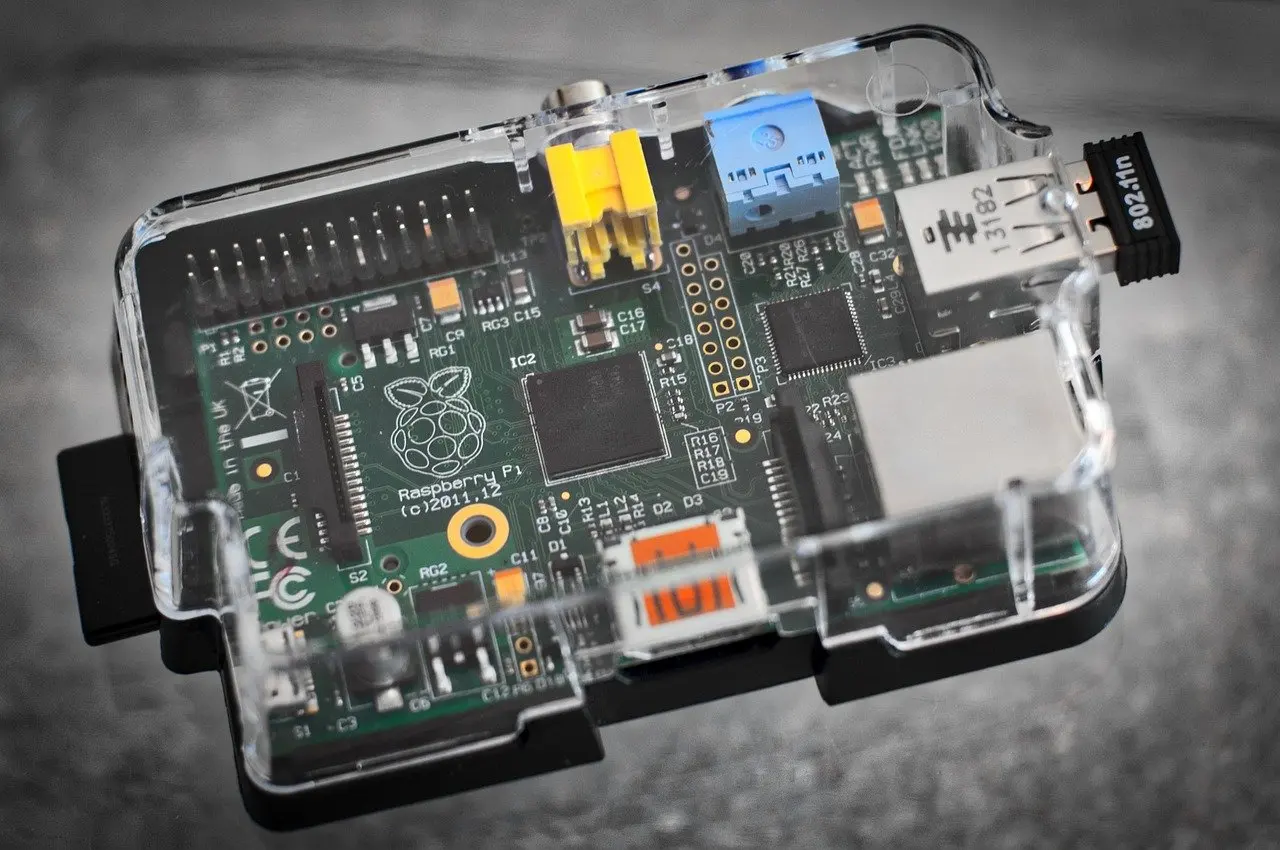
Home Assistant is the option for people who want to run their smart home themselves instead of relying on a platform company’s app. Because it is self-hosted, you supply the hardware it runs on, such as a small single-board computer or a mini PC, and you maintain it. That is why it earns the highest beginner effort rating here.

For a comparison of SmartThings and Home Assistant, the decision turns on what you will tolerate. Choose SmartThings if you want an app that works soon after setup. Choose Home Assistant if you value control over how the system runs and are willing to spend evenings configuring it. A first-time buyer with a handful of devices will usually be better served starting with a platform app and moving later.
Matter and the single-app goal
Matter is the shared standard that lets accessories work across brands, and it is the main reason a single app is more realistic than it used to be. WIRED says Matter is making everything compatible, which is a fair summary of the direction rather than a promise about every product on the shelf.
Adding Matter devices to your app
Adding a Matter device means choosing the controller app first and adding the device through that app’s add-device flow. In Apple Home, the hub does the work: HomePod and HomePod Mini both act as hubs compatible with Matter over Thread, per WIRED. In the other apps, look for Matter support in the device listing and in the app’s supported-device information before purchase. Buying Matter-labelled accessories is the simplest way to keep options open if you later switch apps.
Why no app controls every brand
One app cannot realistically control every brand. Concetto Labs states plainly that not all smart home apps work with every gadget, and the Ebyte guide notes that compatibility varies between brands of smart home assistants. Treat “works with” labels as the deciding check. If a device is critical, such as a lock or thermostat, confirm support in your chosen app before buying rather than assuming Matter or a hub will bridge the gap.

The same logic applies to the hardware you pick first. A smart switch vs smart bulb decision changes which devices your app has to manage, so settle that before comparing apps in detail.
What each option costs to run
The app itself is rarely the main cost; hubs and hardware are. Among the options here, only Apple’s hub requirement has a price in the evidence: WIRED lists the HomePod Mini at $129 as Apple’s most affordable smart speaker with a built-in hub, and an Apple TV 4K (2022) at $129 also has a built-in hub. If you do not already own either, add that to your Apple Home budget.
Assistant subscriptions are a second cost. WIRED contrasts the two big speaker platforms: unlike Amazon, Google’s new assistant comes without needing to pay, though you lose some features. For Amazon, that implies paying to get the newer assistant, so check current terms before relying on it.
SmartThings needs a hub, and Home Assistant needs a computer you provide. Check current retail prices for those before comparing totals. The practical rule is to count hub or host hardware in the first purchase, then compare any ongoing assistant fees on top.
Frequently asked questions
| Question | Answer |
|---|---|
| Is SmartThings an Android-only app? | Concetto Labs describes it as a custom smart home app for Android created by Samsung. Check the current app store listing for your phone before buying a hub. |
| How big is Amazon’s speaker and display lineup? | WIRED counts 11 main models of smart speakers and displays currently available, so there is a range to match to rooms and budgets. |
| Should Ring cameras be part of an Alexa setup? | WIRED does not recommend Ring’s cameras because of the company’s partnership with Axon. That is a privacy-minded judgement, so weigh it against your own priorities. |